 Profile
 Photo
Photo Video
Video Stories
 Reels
Reels Highlights
 PFP
PFPDownload what Instagram makes publicly visible for that profile photo.

Instagram Profile Downloader
ClipsSaver's Instagram Profile Downloader helps you save public Instagram profile pictures (DP/PFP) and public post images as real files you can keep on your device. Paste a profile link to fetch the profile photo, or paste a post link to download single images and carousel posts—quick, clean, and preview-first.
Enter username → Preview → Download. No login required.
 HTTPS Protected
 Fast Processing
 Simple to Use
Better Quality Results (Profile Link vs Post Link)
ClipsSaver can only download what Instagram exposes on the public page. Depending on the profile or post, Instagram may:
- compress images,
- serve different sizes by device/browser,
- or limit resolution for profile photos.
Pro Tip: For the highest-quality post photos, paste the post link (post URLs usually return better results than profile links).
Get Started in 3 Simple Steps
Step 1
Copy the link from Instagram
- Mobile: Open profile/post → Share → Copy link
- Desktop: Copy the URL from the browser bar
Step 2
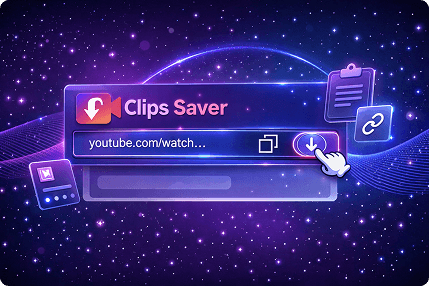
Paste the link into ClipsSaver
- ClipsSaver scans the page and shows only the public images it can detect.
Step 3
review, then download
- Pick the image you want (especially helpful for carousels) and download.
What This Tool Downloads (And What It Doesn’t)
Works and Doesn’t work with
- Public profile picture (DP/PFP)
- Public post photos (single + carousel)
Save images from public posts, including multi-photo carousels.
- Private profiles or private posts
- Anything that requires login to view
- Restricted/blocked/removed content
- Stories/Reels (use the dedicated tools for those)
Download Any Instagram Content — Pick the Right Tool
This page is built for profile pictures (DP/PFP) and public post images. For other content types, use the dedicated tool — each one is tuned for that format and downloads in the quality available from the source:
All-in-One Instagram Public Content Downloads (Complete Toolkit)
Looking for more than profile pictures? ClipsSaver also supports other public Instagram downloads through dedicated pages (for example: photos, videos, reels, stories, highlights). Use this page when your goal is profile DP/PFP and public post images.
Why ClipsSaver Beats Screenshots
Screenshots are slow, messy, and often lower quality. ClipsSaver is made for clean, file-based downloads:
Post Photos & Carousel Images
Save images as real files you can rename and organize
No Password Required
Avoid cropping and screenshot compression where possible
Preview Before Saving
Preview first (especially useful for carousels)
Mobile + Desktop Ready
Works smoothly on mobile and desktop
Benefits of Using an Insta Profile Downloader (Real Use Cases)
Personal Backups
Keep quick backups of your own public posts
Brand Audits
Save brand visuals for audits, research, and planning (with permission)
Design References
Build moodboards for design reference (permission-first)
Planning & Reviews
Store images offline for review and team sharing (where allowed)
Secure & Responsible Downloads (Privacy-First)
ClipsSaver is designed to be simple and access-limited:
Public content only:
If you can’t view it normally, ClipsSaver won’t bypass it.
Secure workflow
You paste a public link and download what’s available.
Not affiliated
ClipsSaver is not affiliated with Instagram or Meta.
Rights matter
Downloading doesn’t grant permission to repost or sell—use only content you own or have permission to use.
Troubleshooting (Fast Fixes)
Link not working?
- Confirm the profile/post is public
- Copy the link again using Instagram’s Copy link
- Try a different browser (media can load differently)
Only seeing one image but it’s a carousel?
- Refresh and paste again
- Try switching browser/device
- Some carousel media loads differently depending on context
Quality lower than expected?
- The public page may only expose limited sizes
- Use the post link instead of the profile link for post photos
Download button not working?
- Refresh the page
- Check browser download permissions/storage
- Try another browser
“Mass Profile Download” (Safe Way to Do It)
If you’re collecting multiple public profile pictures for a project (research/brand audit with permission), use a batch workflow:
- Open profile links one by one → paste → download → organize files by folder/name. This keeps things controlled, permission-first, and aligned with public access limits.

Frequently Asked Questions
Common questions about downloading Instagram profile content, post images, and carousel photos from public accounts.
Copy a public post link, paste it into ClipsSaver, preview the images, and download the one(s) you need.
Yes, for public profiles. Paste the profile link to preview and download the available profile photo.
No. ClipsSaver doesn't bypass private profiles, private posts, or restricted content.
You'll download the image in the format Instagram provides publicly for that page (format can vary).
Make sure the profile is public, copy the full link again using Instagram's Copy link, and try another browser if needed.
Only if you own the image or have explicit permission from the creator/brand. Downloading doesn't grant reuse rights.
Yes—ClipsSaver works on modern mobile browsers (Android + iPhone) without installing an app.
Yes—if the post is public, ClipsSaver can show the available carousel photos to download.
Instagram may serve media differently based on browser, device, region, or network. Refresh or switch browsers if needed.
Only if you own the content or have explicit permission from the creator/brand. Always respect copyright and creator rights.
The file format depends on what Instagram provides publicly for that profile (it can vary).
No. ClipsSaver is for public profile pictures only and doesn't support Stories, Reels, or restricted content.
Download Public Instagram Profile Content
Save profile pictures and post images from any public account. Preview before you download.