
Instagram Reels Downloader
Safe, High-Quality
Download Instagram Reels from public links in the best available quality (HD when available). Just paste a Reel URL to save the video to your device—audio options appear only when available. Perfect for building a personal library for research, review, creative reference, or backing up your own posts.
Paste link → Download in HD → No login required.
 Profile
 Photo
Photo Video
Video Stories
 Reels
Reels Highlights
 PFP
PFP HTTPS Protected
 Fast Processing
 Simple to Use
What Are Instagram Reels?
Instagram Reels are short, vertical videos built for fast, scroll-friendly viewing. Creators use them to share trends, quick tutorials, comedy, product demos, and behind-the-scenes moments—often with music, effects, captions, and on-screen text.
Because they appear across the Reels feed, Explore, and profiles, they can reach a wide audience quickly. With ClipsSaver, you can download public Instagram Reels from a link and save them in the best available quality for offline viewing, personal archiving, or easy reference.
How to Download Instagram Reels (Step-by-Step)
You don’t need technical skills. If you can copy a link, you can download the reel from Instagram.
Copy the Reel link
- Open Instagram → go to the Reel → tap ⋯ → select Copy link.
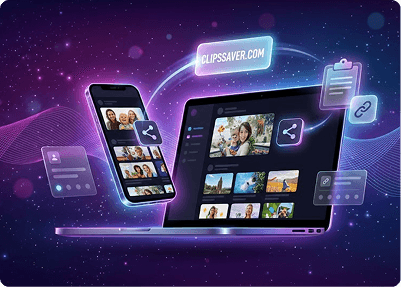

Paste the URL into ClipsSaver
- Open clipssaver.com and paste the link into the input field.
Choose your format
- Pick MP4 video or audio-only (if available).
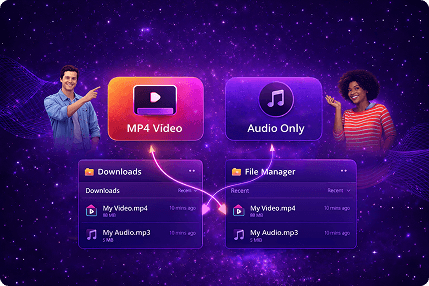
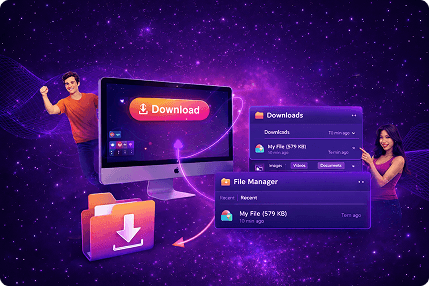
Download
- Click Download and save the file from your device’s downloads list or file manager.
Why ClipsSaver for Reels Download?
ClipsSaver is made for creators, editors, students, marketers, and everyday users who need a reliable way to download reels from Instagram without extra steps.
Best available quality from the source
ClipsSaver detects the highest quality Instagram provides for that specific Reel link. Results depend on the original upload and how Instagram delivers it across devices/regions.
No app, no login required
Do an IG reels download directly in your browser—Chrome, Safari, Firefox, or Edge—on mobile or desktop.
Clean formats that work everywhere
Save video in MP4 for easy playback and editing. For certain Reels, you can also extract audio-only for reference, timing, or creative projects.
Built for privacy-minded users
ClipsSaver doesn't ask for your Instagram credentials. You paste a public link you can already open. For details on data handling, logs, and analytics, please read our Privacy Policy.
That's it—one consistent flow for desktop and mobile.
People may also search for this as an IG Reels downloader or Insta Reels saver—either way, it's the same clean process.
Download Options: Video, Audio, and Quality
When you use ClipsSaver, you’ll typically see:
Instagram reels video download (MP4)
Best for offline viewing, clip review, and editing references
IG reel audio download (when available)
Useful for voiceovers, timing practice, and learning
Common Issues (Quick Fixes)
Link doesn't work
Make sure you copied the full URL and the Reel is public and accessible in your region.
Download button doesn't appear
Refresh the page, try another browser, or copy the link again. Instagram sometimes delivers media differently depending on device/browser.
Quality is lower than expected
The original Reel may be compressed, uploaded in lower resolution, or the higher-quality variant may not be available for that link.
Compatibility: Works on Most Devices
Your reel download files can be used on:
- Smartphones & tablets (iOS, Android)
- Laptops & desktop computers (Windows, macOS)
- Many smart TVs & media players
- Video editors (CapCut, Premiere Pro, DaVinci Resolve, and more)
No extra converters required—download and open.
Safety & Responsible Downloading
ClipsSaver only works with public content you can already access. It doesn't bypass private accounts, and it's designed for lawful, permission-based use.
- Download only content you own or have explicit permission to use
- Don't repost, publish, or monetize someone else's content without rights
- Follow Instagram's terms and local copyright laws
- Respect the original creator

Frequently Asked Questions
Common questions about downloading Instagram Reels—quality options, device compatibility, audio extraction, and troubleshooting tips.
Save Instagram Reels in HD
Download your favorite Reels for offline viewing. Paste the link, pick the quality available, and save.